Projects
Computer Science Trivia
Trivia App built using SwiftUI with custom animations for transitions and button interactions
- @Published is used for state management and Codable for parsing JSON.
- Implemented custom sheet modifiers using .presentationDetents() to display dfferent views.
- User can choose the difficulty level by going into Settings.
- Utilized .animation and .transition for smooth animations.
To view the complete source code, visit:
Tasks
A simple SwiftUI app that uses UserDefaults to store tasks
- User can add task by clicking on the add task button. A sheet is used for adding a new task.
- @Environment property is used to dismiss the views and support the dark and light mode.
- To mark a task as completed, simply tap on the task and a checkmark will appear on the right side.
- User can delete the task by simply swiping the particular task to left or tap the Edit button and delete the task.
To view the complete source code, visit:
Weather
A Weather app that fetches weather through an API
- App displays the current weather of a city (Toronto by default), user can search for a particular city.
- The weather information is fetched through an API call made to openweathermap.org.
- User has the option to switch between light and dark mode using the button at the bottom of the screen
- A personal apikey is needed to run the app
To view the complete source code, visit:
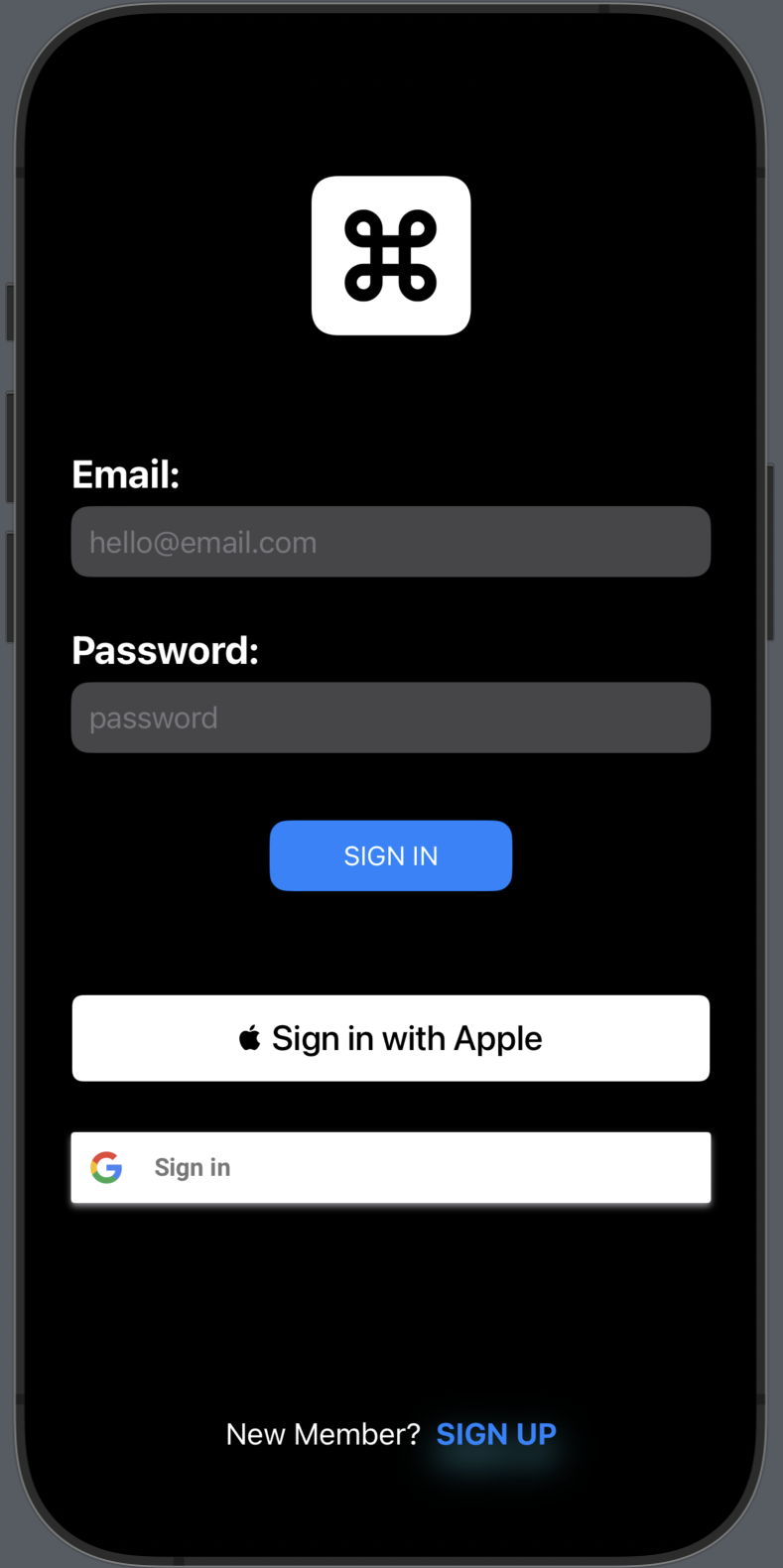
Authentication
The app uses Firebase to authenticate an user and collect user information
- Login screen allows an existing user to login into their account.
- A new user can navigate to the Register screen and create a new account.
- Once the user is logged-in, the Profile screen displays their personal information, which in turn, is gathered from firebase.
- User can sign out from the Profile screen.
The source code for this project is not available at this time.